
Copier and printer rental, leasing and sales across South Africa
Outsource Digital offers copier rental and printer rental on Toshiba multifunction copiers for businesses across South Africa, and sells them outright. Each machine prints, copies and scans. We install it and our own technicians service it. Rental is arranged through APEX Rental Finance, month to month or longer term.
Finance: see Outsource Finance: finance for office equipment
Last updated October 2026

The Toshiba e-STUDIO range
Toshiba copiers, also called Toshiba MFPs (multifunction printers), come in eight series. Pick the size of office and see the range that fits.


Floor-standing · everyday office
Office black-and-white
e-STUDIO 2528A · 3028A · 4528A · 5528A · 6528A
- Black and white
- A3 paper
- Buy or rent
Pages per minute25 to 65
- 10.1-inch touchscreen
- Scans up to 240 pages a minute
- Two 550-sheet paper trays
- Optional staple, hole-punch and booklet finisher
Office black-and-white: e-STUDIO 2528A · 3028A · 4528A · 5528A · 6528A. 25 to 65 pages per minute, A3 paper, black and white.
Which Toshiba copier fits my office?
The range runs from desktop machines for a small office to floor-standing and high-volume copiers for a busy office. Pick the size of office below to see the series that fits, with its print speed and paper size. If you are not sure, tell us roughly how much you print and we will match a series to it.
Copier rental and leasing
You can rent a copier instead of buying it. Copier rental spreads the cost into a monthly amount, and we arrange it through APEX Rental Finance with any quote. We offer month-to-month agreements and longer-term rentals on copiers.
People use different words for the same thing: copier hire, an office printer lease, a commercial printer lease, a copy machine lease, or simply wanting to rent a printer. Each one is a rental agreement. A lease is a rental over a longer term.
After the initial rental period you have the option to buy the equipment at a discounted rate, or to carry on renting.
Office printer rental
Printer rental works the same way as copier rental. Our Toshiba multifunction copiers are office printers too: one machine prints, copies and scans, in colour or black-and-white, on A4 or A3.
Tell us roughly how much you print and we will match a Toshiba e-STUDIO series to it.
Get a copier rental quote
WhatsApp us with roughly how many pages you print a month, and whether you need colour or A3. We reply with a photocopier quote to rent, lease or buy.
WhatsApp us for a copier quote (opens WhatsApp in a new tab)
How renting a copier works
1. WhatsApp us how many people print, whether you need A4 or A3, colour or mono, and roughly how much paper you use a month.
2. We visit your site.
3. You get a customised quote.
4. You sign the service agreement, and we deliver the copier, set it up and train your staff.
Copier rental terms, and who qualifies
Rental terms are month to month, or 24, 36, 48 or 60 months.
To qualify, a business must be a registered South African company that has traded for 3 years or more, with a turnover of R3 million or more. Newer businesses can ask us about demo units.
Outsource Digital is a Platinum Toshiba Dealer.
Who installs the copier?
We install the copier on your network and set up scan-to-email and scan-to-folder.
Copier service agreement
A technician is on site within 4 to 8 working hours of your call. If your copier cannot be repaired quickly, we bring a loan copier.
Remote monitoring watches the machine, and toner is sent automatically before it runs out. Preventative maintenance is included.
Parts, labour and call-outs are 100% covered. Toner and consumables are included; paper is not included. You get monthly usage reports.
Copier and printer repairs and servicing
Our own technicians service and repair the copiers and printers we install, across South Africa, from our head office in Midrand, Gauteng, and our Nelspruit branch in Mpumalanga.
Existing customers log a service call on 011 466 8510, Monday to Thursday, 08:00 to 16:30; Friday, 08:00 to 15:30.
Also useful: office phone solutions, network and fibre installations, CCTV cameras and Business Bundle.
What affects the cost
- Colour or black-and-white (mono).
- How much you print: your monthly volume.
- The speed of the machine.
- The term of the agreement.
- You pay per copy, with colour copies and mono copies charged separately.
- Bundle deals with copies included are available.
Everything can be customised. We do not publish prices: WhatsApp us and we quote on your own needs.
Questions about multifunction office copiers
Should I rent or buy a copier?
Renting a copier spreads the cost into a monthly amount and usually includes service, so it suits most small businesses. Buying a copier costs more upfront but you own the machine. Outsource Digital offers both.
Which copier size do I need?
The copier size you need depends on how many pages you print a month, whether you need colour, and whether you print A3. Tell us roughly how much you print and we'll match a series to it.
What is a multifunction copier?
A multifunction copier is one machine that prints, copies and scans, with fax as an option on some models. It replaces a separate printer, copier and scanner.
Can it scan straight to email or a folder?
Yes. Outsource Digital sets up scan-to-email and scan-to-folder on your network when we install your copier.
Who services the copier and supplies toner?
Outsource Digital's own technicians service the copiers we install. Toner and servicing are covered by your service level agreement.
Do you install across South Africa?
Yes. Outsource Digital is a national supplier. Our Midrand head office serves the whole of South Africa, with agents throughout the country and national support, and our Nelspruit branch serves the whole of Mpumalanga.
Can I rent month to month?
Yes. You can rent a copier month to month. Outsource Digital offers month-to-month agreements and longer-term rentals on phones and copiers.
Can I lease a copy machine?
Yes. A copy machine lease is a rental over a longer term, arranged through APEX Rental Finance with any quote.
Do you hire out copiers?
Yes. You can hire (rent) a Toshiba multifunction copier month to month or on a longer-term rental.
How do I get a photocopier quote?
For a photocopier quote, WhatsApp Outsource Digital on 011 466 8510 with roughly how many pages you print a month, and whether you need colour or A3. We reply with a quote to rent, lease or buy.
Can I lease a photocopier?
A photocopier lease is available with any quote from Outsource Digital. A lease is a rental over a longer term, arranged through APEX Rental Finance. You pay a monthly amount instead of a large payment upfront, we install the copier, and our own technicians service it under your service level agreement.
Is it better to buy or lease a copier?
Buying or leasing a copier comes down to your cash flow and how long you will keep the machine. A lease spreads the cost into a monthly amount with no large payment upfront, and usually includes service. Buying costs more upfront, and then the machine is yours. Outsource Digital quotes both ways so you can compare.
How do copier leases work?
A copier lease works like this: you choose a copier, and Outsource Digital arranges the lease through APEX Rental Finance. You pay a monthly amount, we install the copier, and our own technicians service it. After the initial rental period you can buy the equipment at a discounted rate or carry on renting.
What affects the cost of renting a copier in South Africa?
The cost of copier rental depends on how many pages you print a month, colour or black-and-white, A3 or A4, the speed of the machine, and how long you rent for. We do not publish prices: WhatsApp us on 011 466 8510 for a quote.
Is it cheaper to rent or buy a printer?
Renting or buying a printer can each work out cheaper: it depends on how much you print and how long you keep the machine. Renting has no large upfront cost and usually includes service. Buying costs more upfront, and then the machine is yours. Outsource Digital quotes both ways so you can compare the two.
Month to month or long-term rental?
Month-to-month and longer-term rentals are both available from Outsource Digital, on copiers and on phones. Month to month suits a business that wants flexibility. A longer-term lease suits a business that knows what it will need, with one monthly amount over the term. Tell us how you work and we quote the option that fits.
Watch: multifunction office copiers in action

How to copy both sides of an ID card on one page
Scan to email instead of driving documents across town

Seven things you should never do to a printer
All 53 videos about multifunction office copiers
- Printed 155 pages instead of page 155
- Switching to one supplier for your office equipment
- It's time to get your office equipment from Outsource Digital
- Slow printer? Check the network first
- What happens when your printer breaks down?
- Why your printer keeps running out of ink
- Print from your desk without a USB stick
- Three things your office printer can already do
- What is inside your office copier?
- Why you should not try to copy money
- Eight places your printer can hide paper
- Stop being the colleague everyone waits for at the printer
- Why every printer gets our contact sticker
- When your printer gives up on you
- Let the printer staple your meeting documents
- The scan your face challenge
- Updating the firmware on an office printer
- Office dance challenge
- Bolting a printer together during an installation
- A new printer delivered, offloaded and unboxed
- Copy both sides of an ID card onto one page
- A copier unwrapped and ready in minutes
- New stock arriving: unloaded and unwrapped
- Team spirit: an office dance
- All your office needs in one fun video
- A new office printer, unboxed and set up on site
- From the bakkie to the building: delivering a printer
- Checking and calibrating a copier before installation
- What we check before we leave a printer installation
- Scan books and thick items without black borders
- How to copy double-sided on your office copier
- Cloned settings make a printer replacement faster
- Printer installation day in Kempton Park
- Behind the scenes of a copier installation
- Faulty printer swapped for a loan machine
- Refurbished printer delivered for an on-site replacement
- A 90 kg copier box unpacked at a new client
- Special paper and media a Toshiba copier can print on
- Colour calibration and registration on an office printer
- How to remove part of a page when you copy it
- Cleaning the drums and main charger in a colour copier
- Toshiba office copier: long life and built-in security
- Behind the scenes: setting up for golf day
- Golf day: the team takes a swing
- What a technician checks to stop printer paper jams
- Toshiba colour copier: long banners, glossy prints and paper trays
- Our stand at a golf day: Yealink phones and Toshiba printers
- Toshiba colour copier: fast scanning from the document feeder
- Toshiba copier features, users and service contracts explained
- Chairs, phone lines, CCTV, copiers and printers from one supplier
Where we work
- Multifunction office copiers in Midrand and across South Africa
11 Monza Close, Kyalami Business Park, Midrand, Gauteng, 1684
- Multifunction office copiers in Nelspruit and Mpumalanga
Shop 6G, Riverside Auto Centre, 7 Mystic River Crescent, Riverside, Mbombela, 1200
Popular models
A few of the models we supply and install. Each has its own short page with the key features and specifications. No prices are published: WhatsApp us for a quote.
Toshiba e-STUDIO series
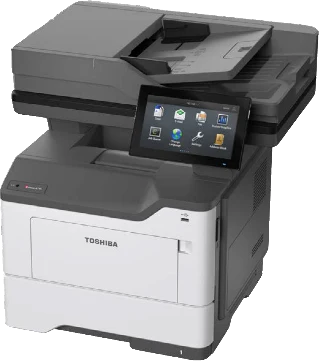 Small officeToshiba e-STUDIO desktop black-and-white copiers
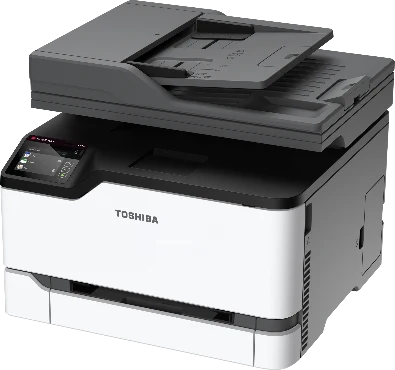 Small officeToshiba e-STUDIO desktop colour copiers
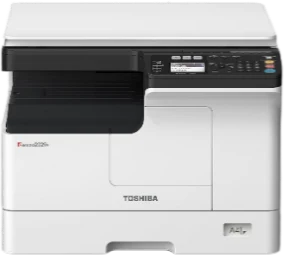 Everyday officeToshiba e-STUDIO entry black-and-white copiers
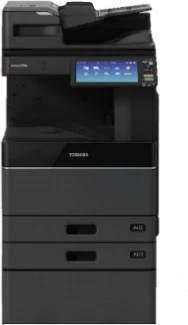 Everyday officeToshiba e-STUDIO office black-and-white copiers
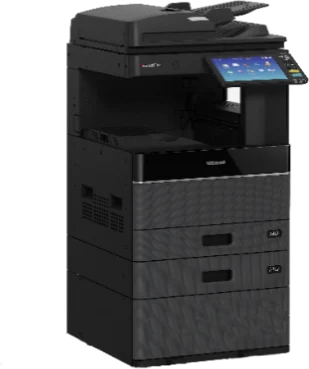 Everyday officeToshiba e-STUDIO entry colour copiers
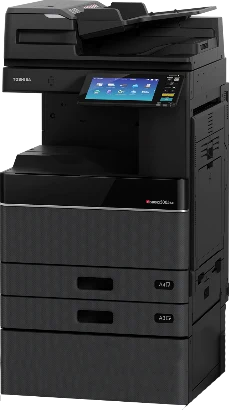 Everyday officeToshiba e-STUDIO office colour copiers
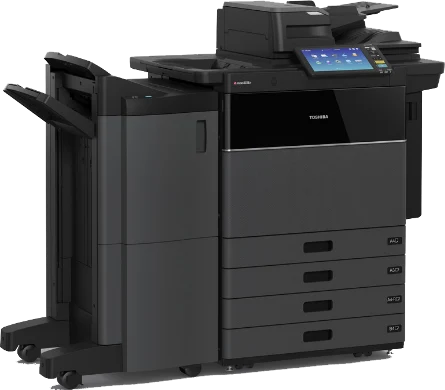 Busy officeToshiba e-STUDIO high-volume black-and-white copiers
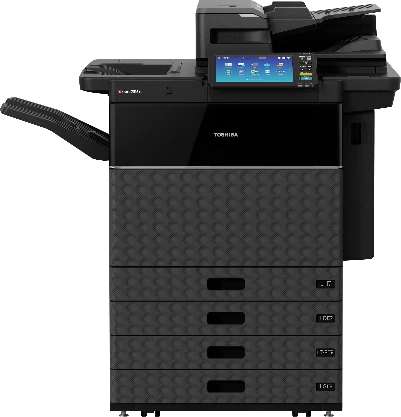 Busy officeToshiba e-STUDIO high-volume colour copiers
Talk to us about multifunction office copiers
WhatsApp us and we will reply with the information or a quote.
Or phone 011 466 8510 (WhatsApp, opens in a new tab)
Monday to Thursday, 08:00 to 16:30; Friday, 08:00 to 15:30