
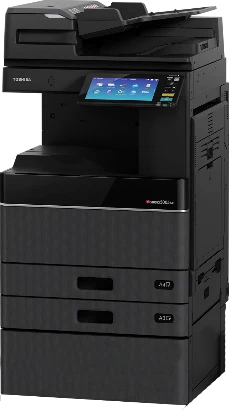
Choose a colour copier if the documents that leave your office need colour, such as proposals, brochures and anything carrying your logo. Choose a black-and-white (mono) copier if you mostly print invoices, statements, letters and contracts. Every size of Toshiba e-STUDIO copier from Outsource Digital comes in both.
Every size in the Toshiba e-STUDIO range that Outsource Digital supplies, from desktop to high-volume, comes in colour and in black-and-white, and on a copier rental colour copies and black-and-white copies are charged separately.
What is the difference between a colour and a black-and-white copier?
A black-and-white copier prints with black toner only. A colour copier has four toners, black, cyan, magenta and yellow, and each colour has its own drum and developer unit that makes the image on the paper.
A colour copier also prints in black-and-white. On the floor-standing colour series, the colour modes are auto-colour, colour, twin colour and black-and-white.
Can a black-and-white copier scan in colour?
Yes. Scanning is separate from printing. The entry black-and-white Toshiba copiers, for example, print and copy in black-and-white and scan in colour as well as black-and-white. Ask us about the scanning on the series you are looking at.
Which documents need colour?
Ask what leaves your office on paper:
- Black-and-white is fine for invoices, statements, letters and contracts.
- Colour helps with proposals, brochures and anything carrying your logo.
Can I stop everyone printing in colour?
Yes. On a colour copier, each user can be set up with their own user code, with limits on how much colour and how much black-and-white they print, or set to print black only. Usage can then be tracked per user. A Toshiba representative shows this in our Toshiba copier features video.
Does colour cost more to run?
On a copier rental from Outsource Digital, you pay per copy, with colour copies and black-and-white copies charged separately. So the cost depends on the mix of colour and black-and-white pages you print, as well as how much you print, the speed of the machine and the term of the agreement. We do not publish prices: ask us to quote a colour and a black-and-white copier side by side.
Are colour copiers slower?
In the Toshiba e-STUDIO range, the speeds overlap. Speeds are in pages a minute on A4:
- Desktop: black-and-white up to 44; colour 33.
- Floor-standing, entry: black-and-white 23 to 28; colour 20 to 25.
- Floor-standing, office: black-and-white 25 to 65; colour 30 to 65.
- High volume: black-and-white 65 to 90; colour 65 to 85.
The fastest black-and-white machine in the range, the e-STUDIO9029A, prints 90 pages a minute. The fastest colour machine in the range, the e-STUDIO7527AC, prints 75 pages a minute in colour and 85 in black-and-white. On Toshiba copiers, the first two numbers of the model name give the speed.
Does a colour copier need more looking after?
A colour copier has a drum and developer unit for each of its four colours, and a technician runs a colour calibration and registration so the colours print correctly and text does not print double. Watch a technician do this in our colour calibration video.
Under the Outsource Digital copier service agreement, preventative maintenance is included, parts, labour and call-outs are 100% covered, and toner is sent automatically before it runs out, for colour and black-and-white copiers alike.
What does the video show?
In the video above, a Toshiba representative shows a 45-page-a-minute colour copier with four toners, and says all their machines can scan in colour. The document feeder holds 300 pages and scans 240 pages a minute, and once the copier is connected to your network, you can email scans straight from the machine. What is said is written out under the video, and the video also has its own page: Toshiba colour copier video page.
How do I choose?
Tell us:
- Roughly how many pages you print a month.
- Roughly how many of those need colour.
- Whether you need A3. Desktop copiers print up to A4; the floor-standing and high-volume copiers print A4 and A3.
- How many people will share the copier.
Then WhatsApp us about a colour or black-and-white copier and we will match a series to it, to rent, lease or buy. Compare every series on our copier rental, leasing and sales page, or see the office colour and office black-and-white series.
Frequently asked questions
Should I get a colour or a black-and-white copier?
Colour if the documents that leave your office need it, such as proposals and brochures. Black-and-white if you mostly print invoices, letters and contracts.
Can a colour copier print in black-and-white?
Yes. A colour copier also prints in black-and-white, and each user can be limited to black-only printing.
Is colour printing more expensive?
On a copier rental, colour copies and black-and-white copies are charged separately. WhatsApp us to quote both side by side.
Do all copier sizes come in colour?
Yes. Every size in the Toshiba e-STUDIO range, from desktop to high-volume, comes in colour and in black-and-white.