
If your office phones still run on Telkom lines, moving to VoIP changes less than most people expect. Your customers dial the same number, and a call still sounds like a call. What changes is where that number lives, what your staff answer it on, and what the phone system can do for you. This guide walks through both sides, so you know what to plan for before you switch.
What stays the same
Your number. Outsource Digital can port all your landline numbers to its system, so you keep your existing numbers. On installation day we forward your existing calls to your new VoIP number, so you never miss a call. Porting your number then takes about 3 days, with no disruption to your service.
That matters. You do not switch anything off first and hope for the best. Your Telkom lines keep working while the move is under way, and only once it is confirmed does the number ring on the new system by itself. To move a number, we need a current paid-up account from your existing provider, a letter authorising the move, and our signed porting form. We handle the rest.
The calls your customers make. People still ring you from cellphones and landlines in the normal way. They do not need an app, and nothing changes on their side.
What changes
Your number no longer belongs to one building
On a Telkom line, the number is tied to the line running into your office. With VoIP, the number sits on a hosted phone system. We set up the hosted Yeastar P-Series Cloud PBX on the Enterprise plan, and each person gets their own extension on it. The office number can ring at reception, on a group of desks, or on a cellphone when someone is out.
Your staff choose what they answer on
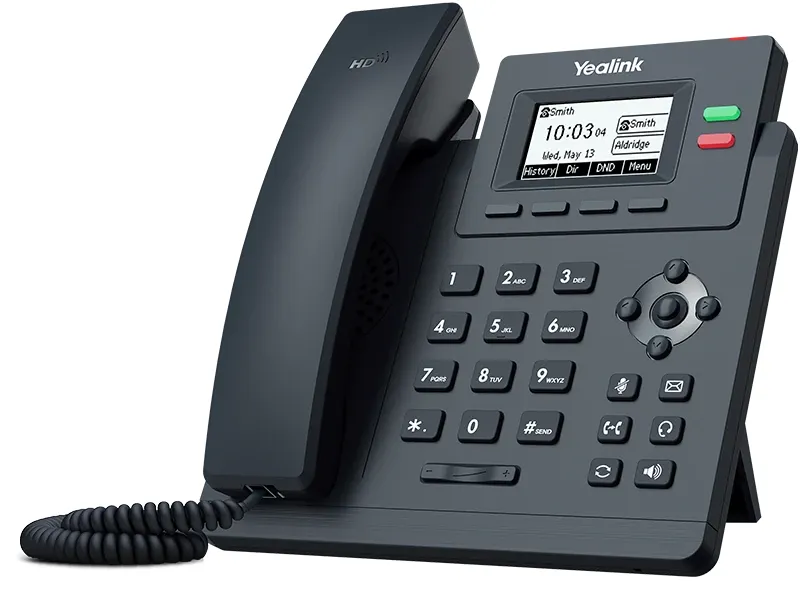
Reception can keep a desk phone with a handset. Others may prefer a cordless phone that moves around the office with them. Anyone can also use the phone app on a cellphone or computer, so a call to the office reaches them at home, at a client or on the road. When they call back from the app, the customer sees your office number, not a personal cellphone number.
Your internet line carries the calls
This is the biggest practical change. Calls travel over your internet connection instead of a copper line, so the connection needs to be stable. We supply business fibre, or a dedicated LTE (mobile data) router for your phones, and the phones work perfectly on either. Each desk phone needs a network point, and the Wi-Fi should cover the whole office for anyone using the app.
Outsource Digital installs the cabling, routers and Wi-Fi as well as the phones. Then one team answers for the line and the phones, instead of two suppliers pointing at each other. Our office phones and Wi-Fi installation video shows one of those installation days at a client.
Power cuts work differently
The phone system itself stays up when the power goes, because it is hosted. In the office, we install the network switch, the router and the fibre or LTE box together in a cabinet, all on a backup battery (UPS). The network switch powers the desk phones through the network cable, so your phones and calls keep working in a power cut, and for outages longer than 2 hours we can supply an inverter. Staff can also answer the office number on the phone app on their cellphones.
The phone system does more
An old Telkom line gives you a dial tone. A hosted phone system gives you a switchboard. Depending on your plan, that includes a voice menu that greets callers in your company's name, call queues, call recording, and WhatsApp and website chat in one inbox. An AI receptionist that answers the calls your team cannot get to is available as an add-on. Adding a new person is a change on the system, not a new line.
How the move works
- Tell us about your office. WhatsApp us how many people need a phone, how many numbers you have, and what internet line you use now.
- We check the line and the network. If the office needs fibre, cabling or better Wi-Fi first, we quote for it at the same time.
- We set up the phone system and the phones. Extensions, ring groups and your voice menu are set up before anything goes live.
- We move your numbers. On installation day we forward your existing calls to your new VoIP number, so you never miss a call. Porting then takes about 3 days, with no disruption to your service, and your old lines stay on until the move is confirmed.
After the move, our in-house telephonic and online support team looks after the system, with on-site support technicians and service partners in all the major cities across South Africa, Namibia and Eswatini. A technician responds within 4 to 6 business hours of your call.
WhatsApp us about moving your Telkom lines to VoIP and tell us how many people need a phone. To read more first, see our VoIP for business, cloud PBX and office phone systems pages.
Frequently asked questions
Can I keep my Telkom number when I move to VoIP?
Yes. Outsource Digital can port all your landline numbers to its system, so you keep your existing numbers. We forward your calls to the new VoIP number on installation day, and porting then takes about 3 days, with no disruption to your service.
Should I cancel my Telkom lines before I switch?
No. Keep your Telkom lines on. On installation day we forward your existing calls to your new VoIP number, and your lines stay on until the move is confirmed, so your business number keeps working throughout.
Do I need fibre for VoIP?
Not necessarily. We supply business fibre, or a dedicated LTE (mobile data) router for your phones, and the phones work perfectly on either. We check your line first.
What happens to VoIP calls in a power cut?
The hosted phone system stays up. The network switch, the router and the fibre or LTE box sit together in a cabinet on a backup battery (UPS), and the switch powers your desk phones through the network cable, so calls keep coming in. For outages longer than 2 hours, we can supply an inverter. Staff can also answer the office number on the phone app on their cellphones.